A Safer Way to Handle Rummy App Permissions

Installing a rummy app should include a privacy check, especially when the app is obtained outside a familiar store. Permissions are requests for access to parts of a device; they are not proof that an app is trustworthy. Read each request and decide whether it matches a clear feature.
Start with the source. Prefer an official store or a verified publisher page, and check the developer name, update history, privacy policy, and user reports. Be cautious with files shared through unsolicited messages or pages that pressure you to disable security settings. An app that requires unusual steps before it will install deserves extra scrutiny.
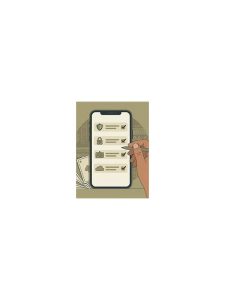
During installation, examine permissions one at a time. Notifications may support alerts, while network access is expected for online play. Requests for contacts, call logs, microphone, or continuous location should have a specific, understandable reason. If the reason is vague, deny the permission or stop the installation. A game should not need broad access to unrelated personal data simply to display cards.
After installation, review permissions in the device settings. Mobile operating systems often let you choose while using the app, ask each time, or deny access. Turn off permissions that are not needed. Also check whether the app can display over other apps, install unknown packages, or run extensively in the background. These settings can affect both privacy and battery life.
Protect account information separately. Use a strong, unique password, enable available sign-in protection, and never share one-time codes. Do not upload identity documents or payment details unless the service is legitimate, the request is expected, and the connection is secure. Keep the operating system and security tools updated.
If an app behaves strangely—unexpected pop-ups, unexplained messages, rapid battery drain, or repeated permission prompts—stop using it and investigate through official support. Remove access before uninstalling if the device allows it, then change any password entered into the app. A few minutes of permission review can reduce unnecessary exposure without preventing normal play. Review permissions again after major updates because settings can change when features are added. If the app asks for access that was not present before, pause and read the explanation. Keep a record of the publisher and the official support address, not a random number shown in a pop-up. Small privacy habits are useful across every app, not just games. If you cannot explain a permission in plain language, leave it disabled until official documentation explains it. Functionality may be limited, but that is safer than granting broad access automatically. Privacy choices can be revisited later; unnecessary exposure is harder to undo after data has been shared.