Rummy Safety: Set Notification Boundaries for Healthy Play
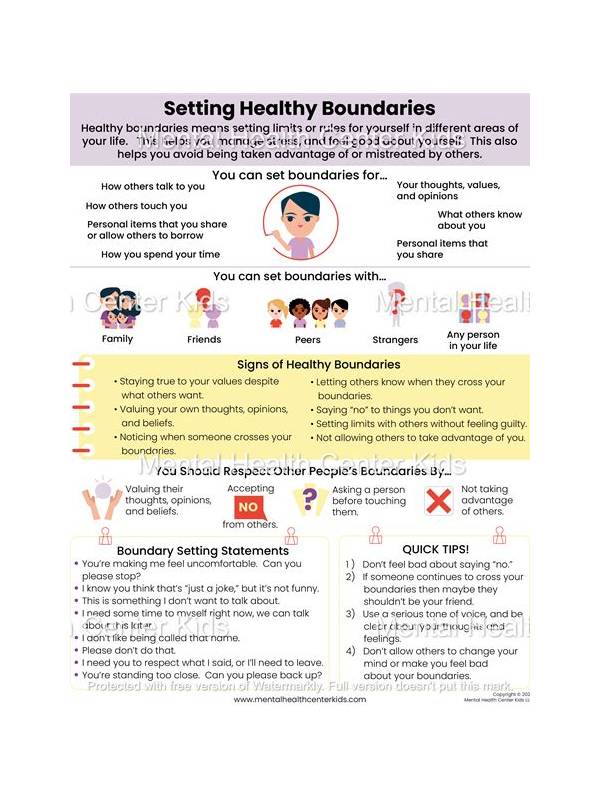
Notifications can be useful reminders, but constant alerts can make play feel urgent even when nothing requires an immediate response. Set boundaries so that a game remains an optional activity rather than a source of background pressure.
Start by separating essential messages from promotional messages. A turn notice may be relevant during an active session, while a bonus announcement or repeated invitation may not be. Use the app’s settings and your device’s notification controls to reduce categories you do not need. If the controls are unclear, check the official help information rather than clicking an unexpected link in a message.
Choose a quiet period for your device. During work, study, sleep, or time with family, silence nonessential alerts. A notification that arrives at the wrong moment can encourage a rushed login or a decision made while distracted. Good boundaries protect attention as well as privacy.
Decide what happens when you miss an alert. You do not need to respond immediately unless the rules of an active table genuinely require it. If the app uses a countdown, learn the table’s policy before joining. When possible, finish a session before disabling alerts, then review the settings afterward so the same pressure does not return.
Promotional language deserves extra care. Messages that claim an offer is expiring, a reward is guaranteed, or an account will be restricted unless you act now are designed to create urgency. Open the service through its known app or website and verify the information there. Never provide a password or one-time code through a notification link.
Finally, notice your own response. If an alert makes you feel compelled to continue after you intended to stop, turn off that category and take a break. You can also set a device limit or keep the app off your home screen. These small changes make the decision to play deliberate.
Healthy play includes the ability to ignore a notification. Configure the device so reminders serve your schedule, not the other way around. A calmer notification environment makes it easier to choose when, where, and how long you participate.
If you share a device, check whether notifications show message previews on the lock screen. A preview can reveal account or game information to someone nearby. Hide sensitive previews, use a screen lock, and sign out when appropriate. These settings support the same boundary as silencing alerts: the app should not occupy more of your attention or disclose more information than you intended.