Rummy Safety: Make a Plan for Unexpected Disconnection
An unexpected disconnection can create more pressure than a difficult draw. Players may rush to reopen an app, tap repeatedly, or make assumptions about what happened to the hand. A short plan prepared in advance protects both your account and your judgment.
First, note the table’s official reconnection and timeout rules before play. Learn whether a turn continues, whether the game records an action, and which support route handles a disputed result. Rules vary, so do not assume that closing and reopening is always harmless. Save only the reference information that is safe to store; never record passwords or one-time codes.
When the connection fails, stop tapping repeatedly. Check whether the device still has a connection, then wait for the interface to update. If you must restart, use the official application or website and confirm that you are on the correct account. Avoid links in unsolicited messages that promise instant recovery or compensation.
After reconnecting, read the table state carefully. Check the current turn, your hand, the newest discard, and any timer before acting. If the state is ambiguous, capture a privacy-checked screenshot and use the official support process. Do not send private credentials to prove ownership. A delayed decision is safer than an irreversible tap based on a partial display.
Review the incident later. Was the problem caused by the network, device battery, app version, or a crowded environment? Fix the controllable cause before the next session. A disconnection plan cannot guarantee a particular result, but it can prevent panic from turning a technical event into a security or decision-making problem.
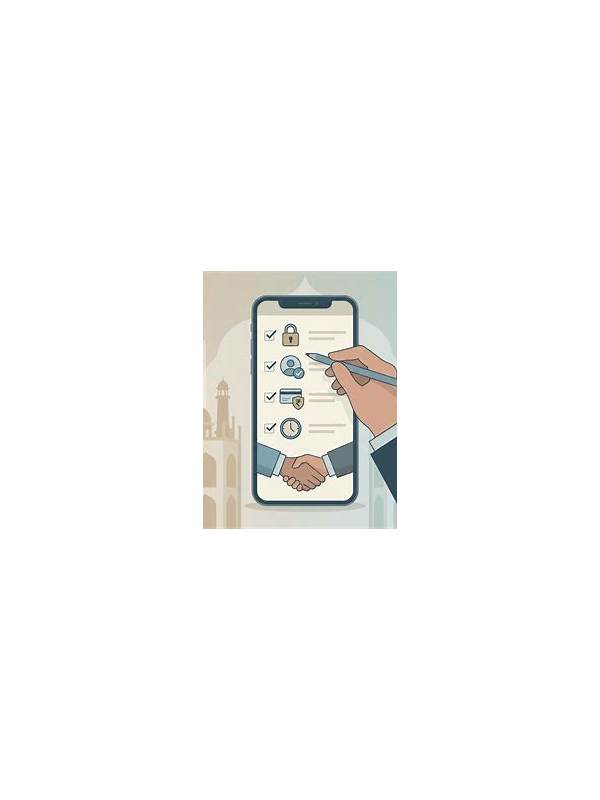
Prepare a plain-language checklist and keep it outside the game screen: pause, check connection, reopen through the official route, verify the table, then contact support if needed. Share the checklist only with people who should have it, and do not include private recovery information. If a disconnection happens repeatedly, stop treating each incident as an isolated accident. Update the app from an official source, test the network, and choose a quieter session time before continuing. Tell other players only what they need to know about the interruption. A simple message that you are reconnecting is enough; there is no need to post a phone number, email address, or account image in a table chat. When the issue is resolved, record the time and symptom privately so a later support request can be precise without exposing personal details. Keep the checklist visible but separate from private account information. Its purpose is to guide actions during a disruption, not to store recovery data.