Rummy Safety: Check App Permissions Before Installation
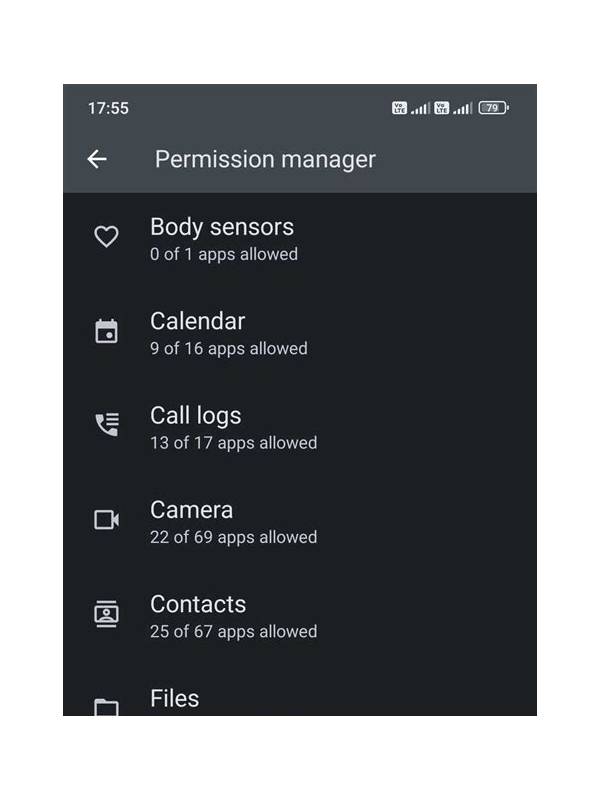
If the permission screen is unclear, consult the device documentation or wait for a better-documented version. Uncertainty is a reason to pause, not a reason to grant access and investigate later.
An app’s name and appearance do not explain what it can access. Before installing any rummy application, review the permissions it requests and consider whether each one fits the stated function. A card game may reasonably need network access for online play, but unrelated requests deserve a closer look. A quick review can prevent avoidable privacy problems.
Start with the official store listing or the device’s permission screen, depending on where the app comes from. Read the developer name, update history, privacy description, and requested access together. Be cautious when a download page provides no clear publisher information or encourages you to bypass normal device protections. Do not assume that a familiar logo proves authenticity.
Look closely at access to contacts, text messages, call history, precise location, microphone, camera, and storage. Some features may have a legitimate explanation, but the explanation should be clear and optional where possible. If a game requests more than you expect, pause before accepting. You can decline unnecessary access, uninstall the app, or choose a better documented alternative.
After installation, revisit permissions in device settings. An update can change an app’s behavior or add a new request. Set access to “while using” or “ask every time” when those choices are available. Keep your operating system and security tools current, and avoid installing modified packages shared through informal messages. Never provide passwords or one-time codes to someone claiming to help with installation.
Permissions are only one part of safety. Use a unique password, enable supported account protection, and check that payment and support pages belong to the expected service. If an app behaves strangely, displays urgent requests, or makes access a condition for a basic game feature, stop and investigate. A few minutes spent checking permissions is a practical privacy habit. Avoid granting broad access simply because an app says it is required. Test the app’s basic functions with optional permissions denied where practical, and remove access that is no longer needed. If the download came from a link, confirm that the file and publisher match a trusted source before opening it. Keep payment information separate from casual experimentation, and never use another person’s account or device without permission. Privacy safety is easier when installation, account setup, and payment decisions are treated as separate checkpoints rather than one hurried action.