Yono Agent App Login Password A Step by Step Guide
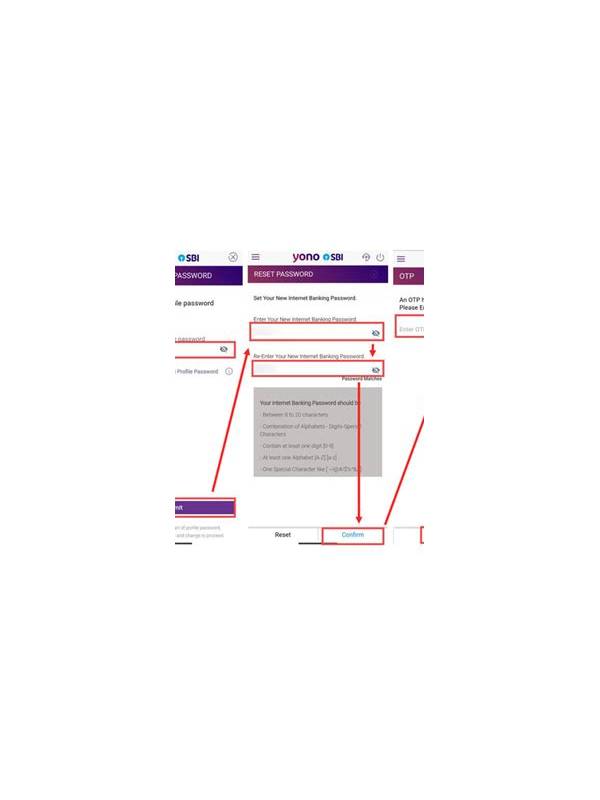
Yono Agent App Login Password A Step-by-Step Guide
The Yono Agent App is a versatile banking solution that allows users to manage their finances on the go. However, many users struggle with the login process, especially when it comes to resetting or forgetting their password. In this article, we will provide a comprehensive guide on how to log in to the Yono Agent App using your password.
Section 1 Understanding the Yono Agent App
The Yono Agent App is an online banking platform designed for both individuals and businesses. It offers a range of services, including account management, fund transfers, bill payments, and more. To access these services, you need to log in using your username and password.
Section 2 Logging in to the Yono Agent App
To log in to the Yono Agent App, follow these steps
1. Open the Yono Agent App on your smartphone or tablet.
2. Enter your registered username.
3. Enter your password.
4. Tap the “Login” button.
If you have forgotten your password or are unable to log in, proceed to the next section.
Section 3 Resetting Your Yono Agent App Password
If you forget your Yono Agent App password, you can reset it by following these steps
1. Open the Yono Agent App and tap the “Forgot Password?” link.
2. Enter your registered mobile number or email address.
3. You will receive an OTP (One-Time Password) via SMS or email.
4. Enter the OTP in the app.
5. Create a new password for your account.
Remember to choose a strong password that includes a mix of letters, numbers, and special characters to ensure the security of your account.
Section 4 Troubleshooting Login Issues
If you continue to face login issues after resetting your password, consider the following troubleshooting steps
1. Check if you are entering the correct username and password.
2. Ensure that your internet connection is stable.
3. Update the Yono Agent App to the latest version.
4. Clear the app cache and data from your device’s settings.
If these steps do not resolve the issue, contact Yono customer support for assistance.
Section 5 Best Practices for Managing Your Yono Agent App Password
To ensure the security of your Yono Agent App account, follow these best practices
1. Never share your password with anyone.
2. Change your password regularly.
3. Use a unique password for your Yono Agent App account.
4. Enable two-factor authentication for an additional layer of security.
The Yono Agent App is a convenient way to manage your finances, but it’s important to keep your account secure by using a strong password and following best practices for online banking. This article has provided a step-by-step guide on how to log in to the Yono Agent App, reset your password, and troubleshoot login issues.
Learn how to log in to the Yono Agent App using your password. This guide includes steps for resetting your password and troubleshooting login issues, ensuring a smooth and secure online banking experience.
Yono Agent App, login password, online banking, password reset, two-factor authentication